
Logging times from Meet Mobile
Most meets post results in the Meet Mobile app. SwimKeeper can read a swim straight from it, filling in the swimmer, meet, event, time and place, so you only check it and tap Save. Nothing is saved until you do.
How you send it depends on your phone.
iPhone app
- In Meet Mobile, open your swimmer’s swim and tap Share.
- Pick SwimKeeper.
- SwimKeeper opens Add result with the swim filled in. Check it and tap Save.
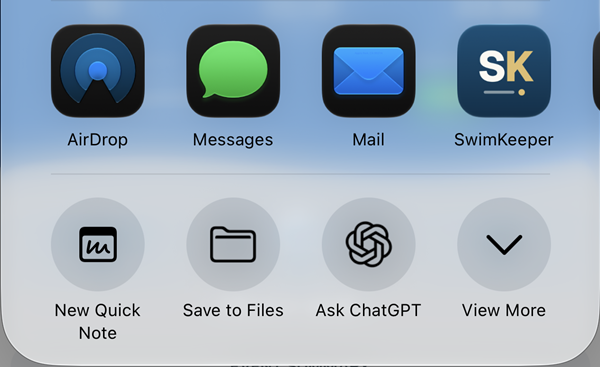
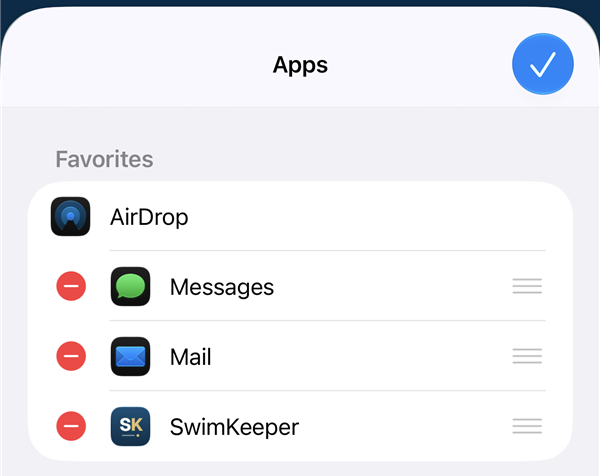
Don’t see SwimKeeper near the front of the row of apps? Scroll to the end of the row and tap More, then Edit. Tap the green + next to SwimKeeper, then the check mark at the top. You only need to do this once.
Android app
- In Meet Mobile, open the swim and tap Share, then Mail.
- Android’s share list opens. Pick SwimKeeper.
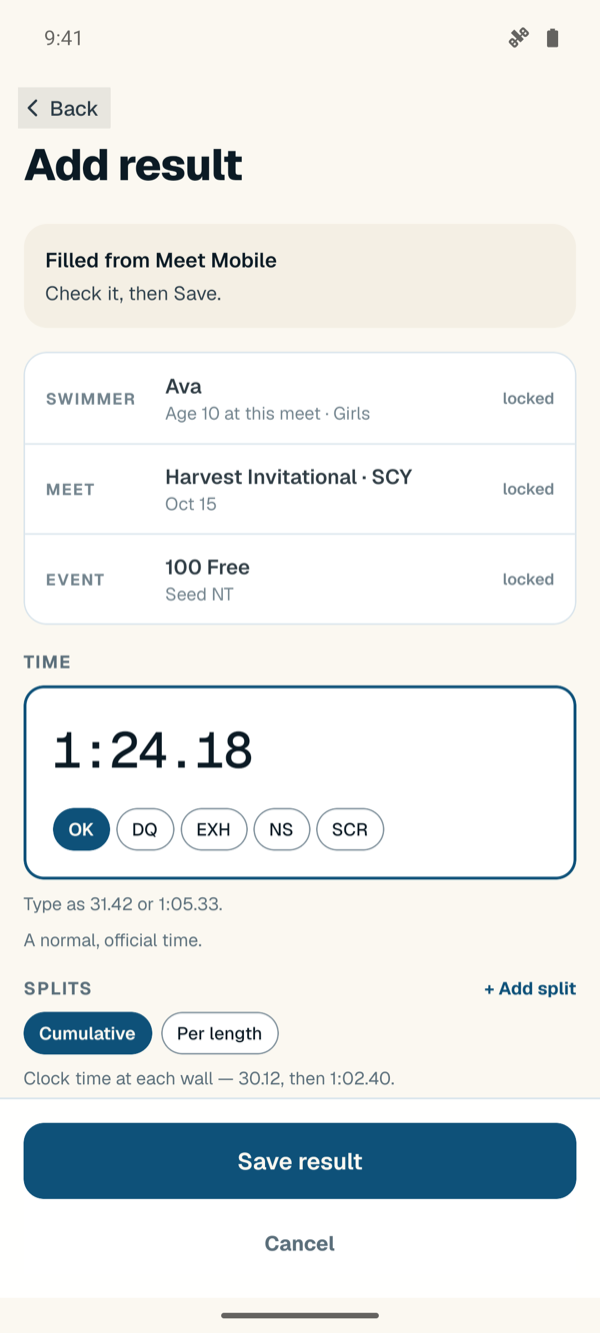
- Add result opens with the swim filled in. Check it and tap Save.
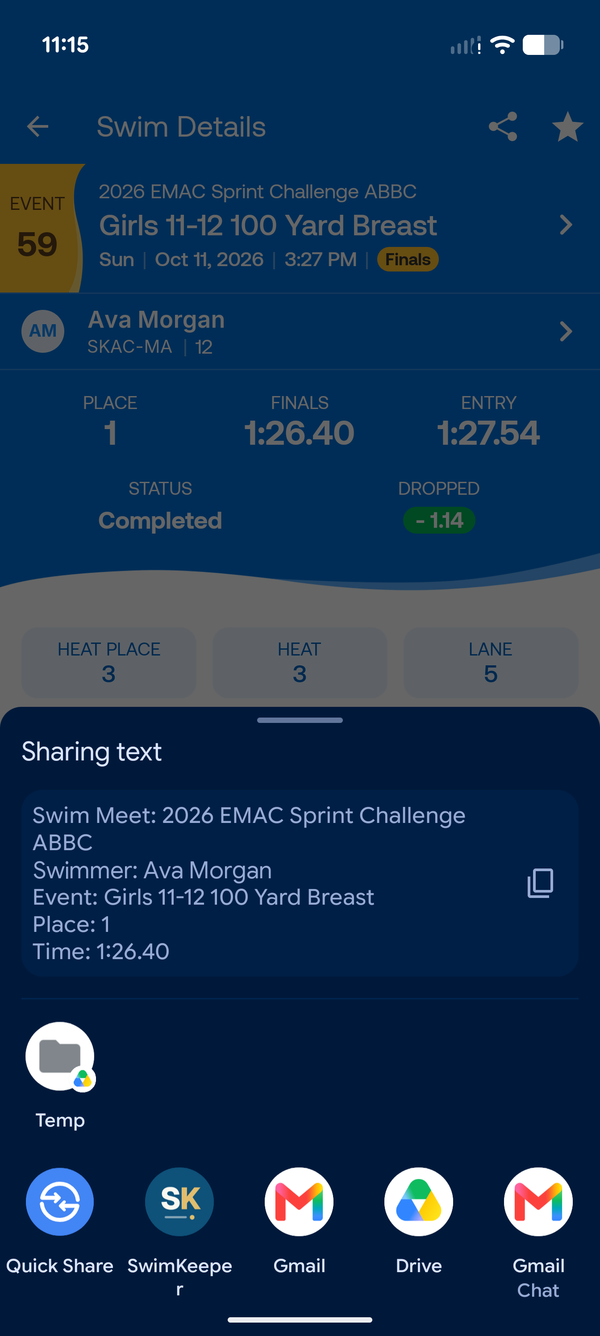
Android phone, in the browser
If you use SwimKeeper in Chrome on an Android phone instead of the app:
- In Meet Mobile, open the swim and tap Share, then Mail.
- Tap the copy button next to the text.
- In SwimKeeper, open the meet or Add result, press and hold in the Paste from Meet Mobile box, and tap Paste.
iPhone browser or a computer
Meet Mobile can’t hand a swim to a website on an iPhone, and there’s no Meet Mobile on a computer, so type the time in Add result. It takes a few seconds: 1:05.33 is all a result needs.
Good to know
-
The meet needs to be in SwimKeeper first. If it isn’t, the form asks you to pick one. Add the meet (Meets → Create meet), then send the swim again.
-
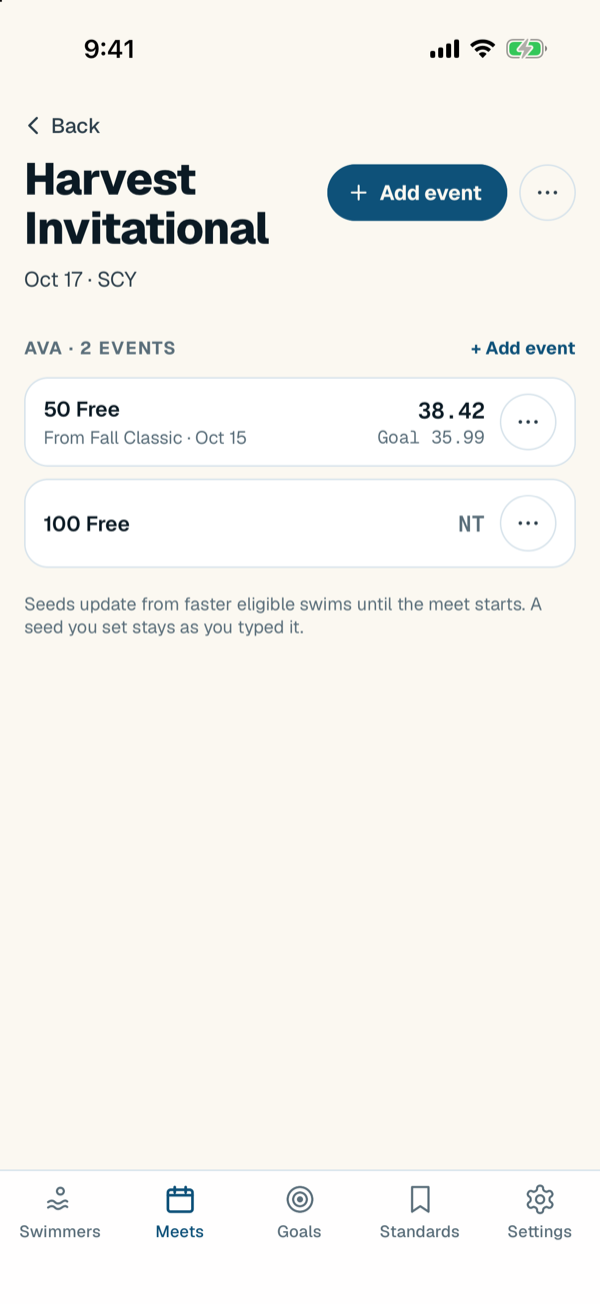
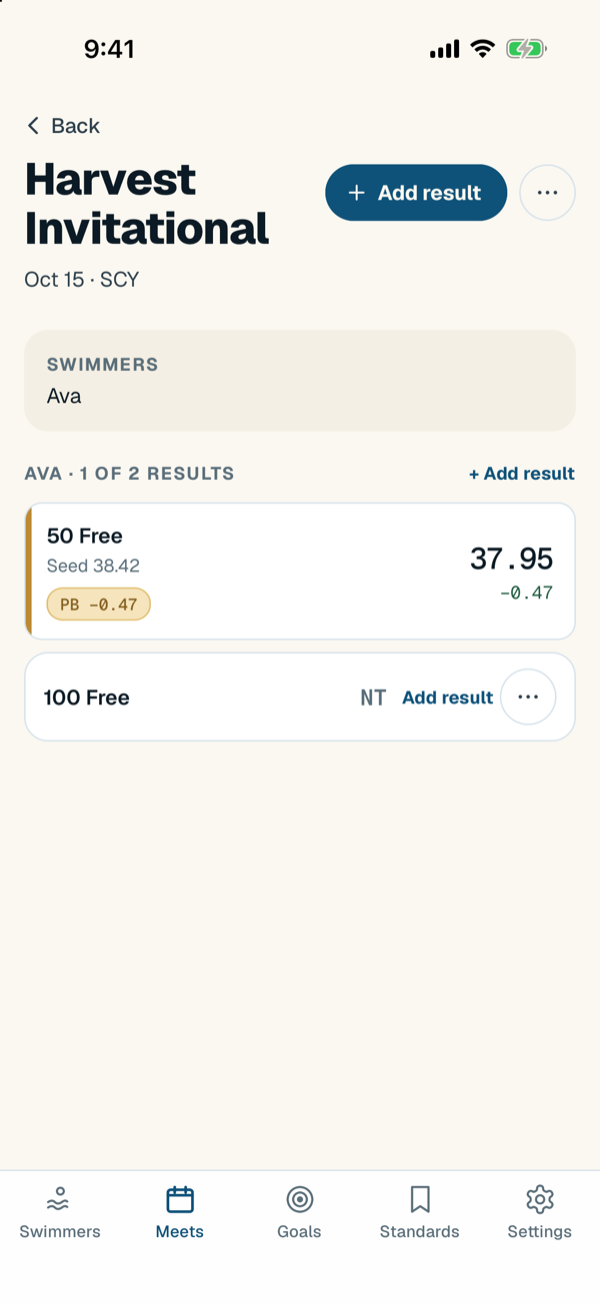
If you entered the event before the meet, the time goes into that entry, and its seed time shows for comparison.
-
If the swim is already logged, SwimKeeper opens it so you can update it. If there’s a different time for that event, such as prelims and finals, it asks whether to update that swim or add another.
-
A DQ comes in as a DQ. Pick the reason yourself, because Meet Mobile doesn’t share it.
-
A no-show or scratch is marked from the event’s entry on the meet page, not from Meet Mobile.
-
At A/BB/C meets, Meet Mobile’s place is the place within your swimmer’s class. SwimKeeper saves it as given.
-
If a swimmer’s or meet’s name doesn’t match, that field stays empty for you to pick.
-
Relays aren’t supported yet.
Stuck on something? Contact support.