
Seasons and season bests
A season is a date range, such as the short-course season from September to March. SwimKeeper uses it for two things:
- Season bests. A swim gets an SB badge when it’s your swimmer’s fastest in that event during the season. Personal bests (PB) don’t need a season; season bests do.
- The counts on the Swimmers tab. Each swimmer’s card shows this season’s personal bests, season bests, goals met and races.
A new household starts with no seasons, so until you add one you’ll see PBs but no SBs, and the counts cover all time.
Add a season
Open Settings → Seasons (it’s also at the bottom of Standards), then:
- Under Add from template, pick a ready-made season:
- USA Swimming Short Course (SCY): September to March
- USA Swimming Long Course (LCM): April to August
- NCAA Short Course (SCY), YMCA Short Course
- Winter League, Summer League
- USA Swim Year (September to August) or Calendar Year
- Each template offers two years. Pick the current one, or the other to add older meets or plan ahead.
- Tap Add.
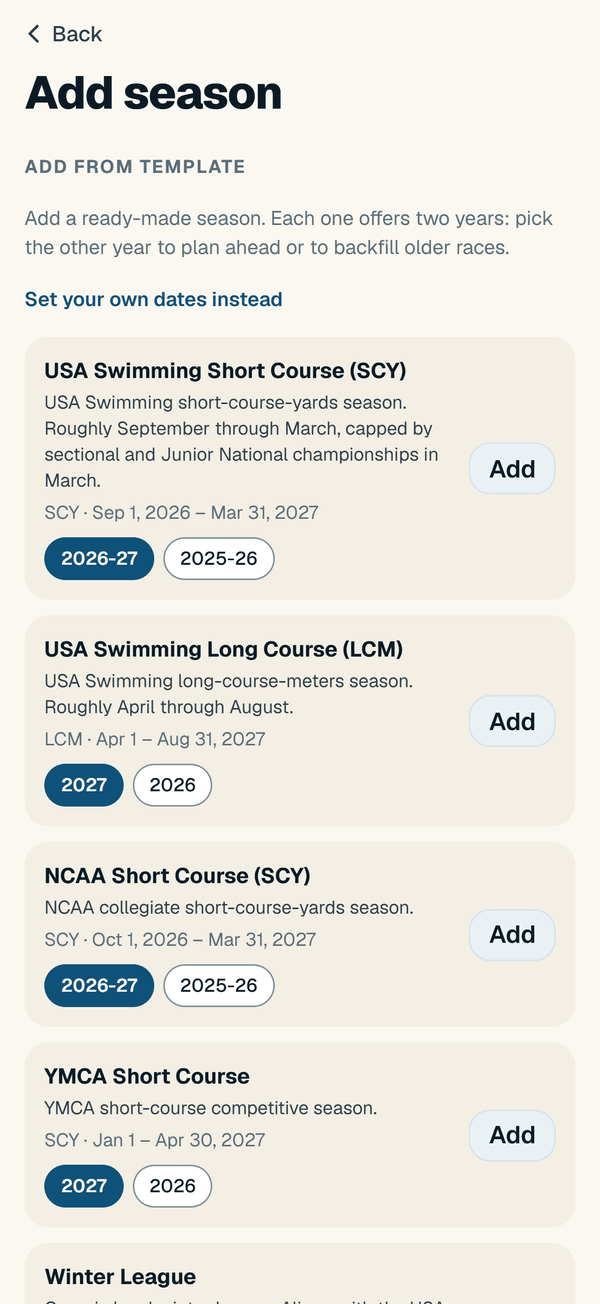
Swims you’ve already logged inside those dates count right away.
If no season covers today, the Swimmers tab and the Seasons screen suggest one with an Add season button.
Make your own
For a club season or anything the templates don’t cover, use Or set your own dates: a name, a League or organization (only its meets count toward the season; pick Any meet to count every meet in the dates), start and end dates, and optionally a course. A season with a course (say LCM) only counts swims in that course.
Age for standards sets how your swimmer’s age is worked out for that season’s meets. USA Swimming uses their age on the first day of each meet. Many local leagues use one age-up date for the whole season; pick Age as of a date and enter it.
Good to know
-
Seasons can overlap. Add short course and long course, or a league season alongside USA Swimming. Each keeps its own season bests.
-
Two seasons at once. When a league season and a USA Swimming season both cover today, each swimmer’s card on the Swimmers tab shows a chip for each (say SAL and USA-S). The chip you pick decides the counts, the goals and cuts listed, and the recent meet shown. A league with no goals yet offers Add a SAL goal (named for that league), which starts the goal on that season.
-
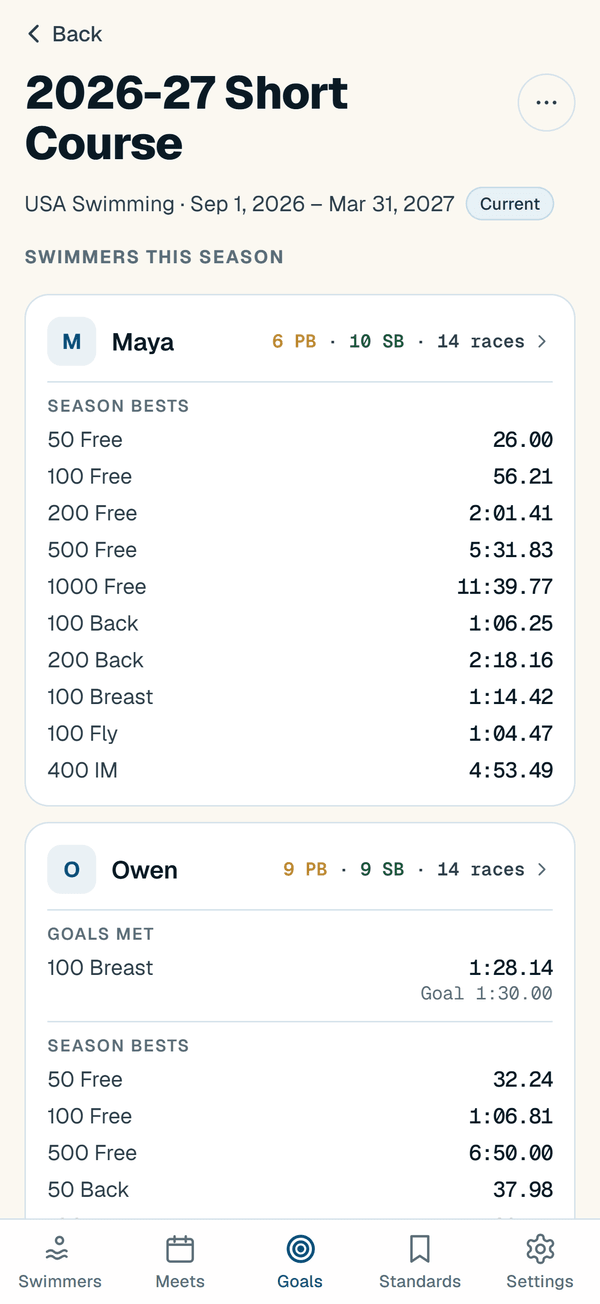
Tap a season to see each swimmer’s season: goals met, season bests, and every swim by meet.
-
When a season ends it’s tagged Ended, and SwimKeeper suggests the next one.
-
Deleting a season keeps your swims. They just stop counting as season bests for it.
Stuck on something? Contact support.