
Sharing with the other parent, and your swimmer’s own login
Your household is private: only the people you add can see it. Your household can have up to four parents: you and three more. You can also give each swimmer their own login.
Invite the other parent
- Open Settings → Family.
- Under Invite a parent, enter their first and last name (optional) and email, and tick I’m OK with this person seeing and editing all my swimmers’ times.
- Tap Send invite.
They get an email. If they’re new to SwimKeeper, it has a link to set a password. Once they’re signed in, the Swimmers tab shows the invite: they tap Join. The invite lasts 14 days, and until they join you can withdraw it from Settings → Family.
Already started a household of their own? When they join, SwimKeeper offers to delete their household first, after telling them how many swimmers, meets and swims it holds. Nothing is deleted unless they tap Delete and join.
What the other parent can do
Every parent sees all your swimmers and can log meets and times. Only you, the owner, can add or change swimmers, invite or remove parents, and export the household’s data.
To remove a parent, open Settings → Family, tap … next to their name, then Remove from household. A parent can also leave on their own. Either way, the times they logged stay.
Access history, at the bottom of that screen, lists who was invited, joined, left or was removed. Settings → Family also lists each swimmer’s own login.
Give your swimmer their own login
A swimmer’s login works in the SwimKeeper app on their phone. They see the family’s swimmers, and their times, best times, goals, meets and cuts, but not your race notes, the parents list or settings.
- Under 13, it’s view only.
- From 13, they can also log their own times and goals. They can never delete anything.
Pair their phone (any age)
- Open your swimmer’s page, tap … and Edit swimmer. Under Swimmer’s own login, tap Pair a phone.
- SwimKeeper shows an 8-character code. It works once, within 10 minutes.
- On your swimmer’s phone, open the SwimKeeper app, tap I’m a swimmer, enter the code and tap Pair this phone.
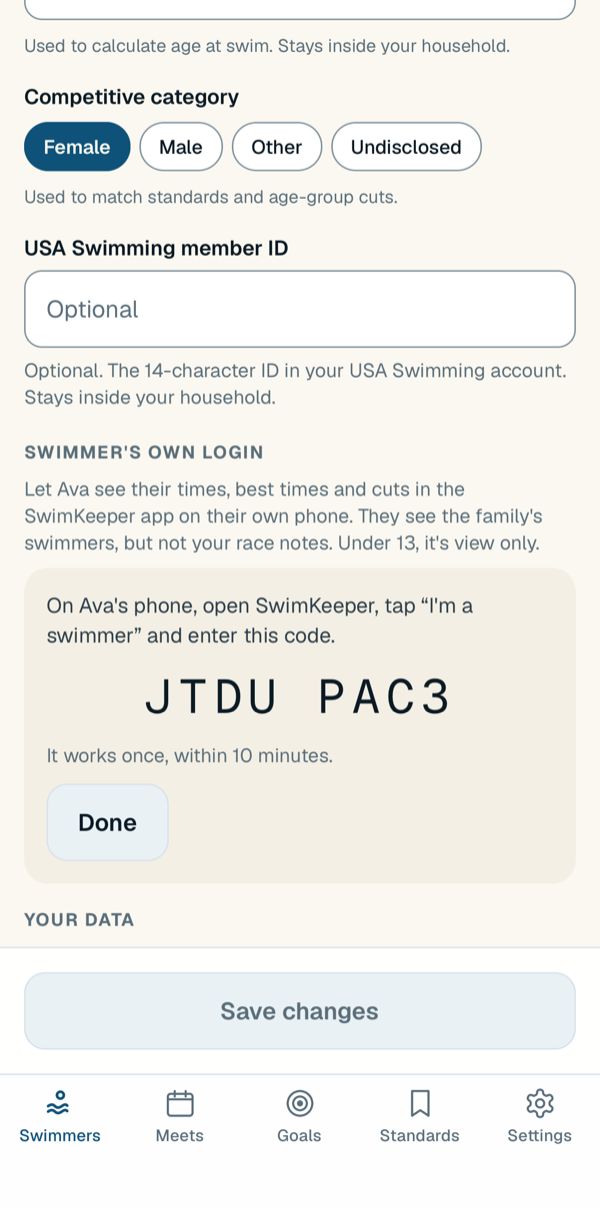
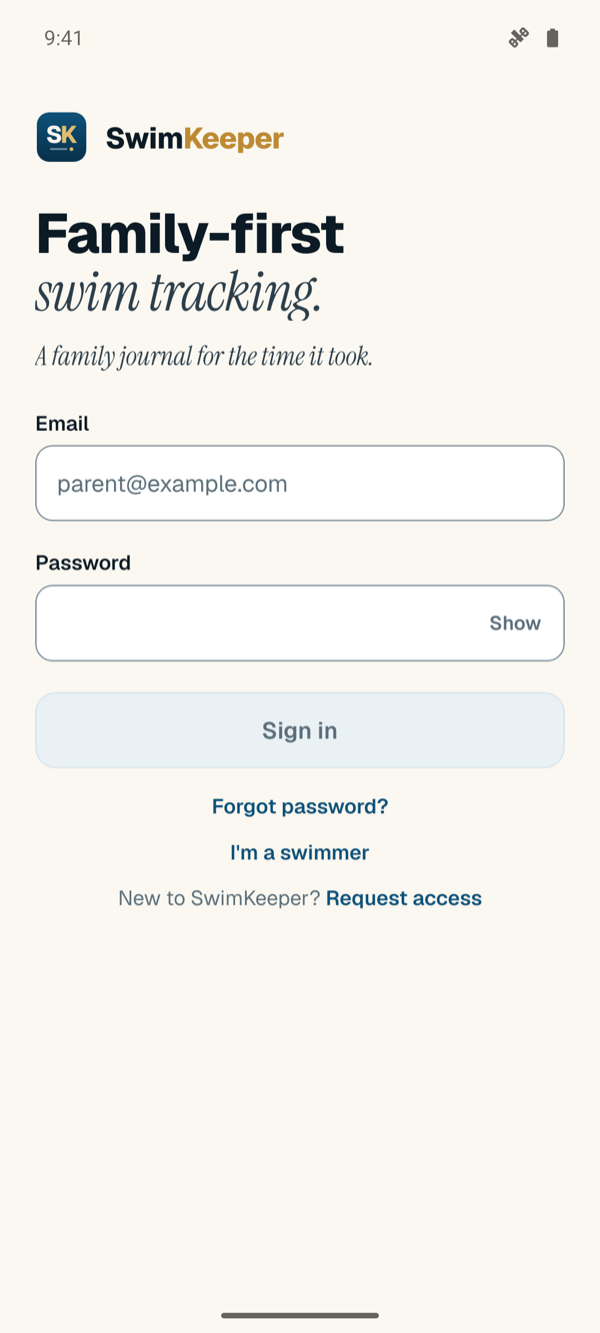
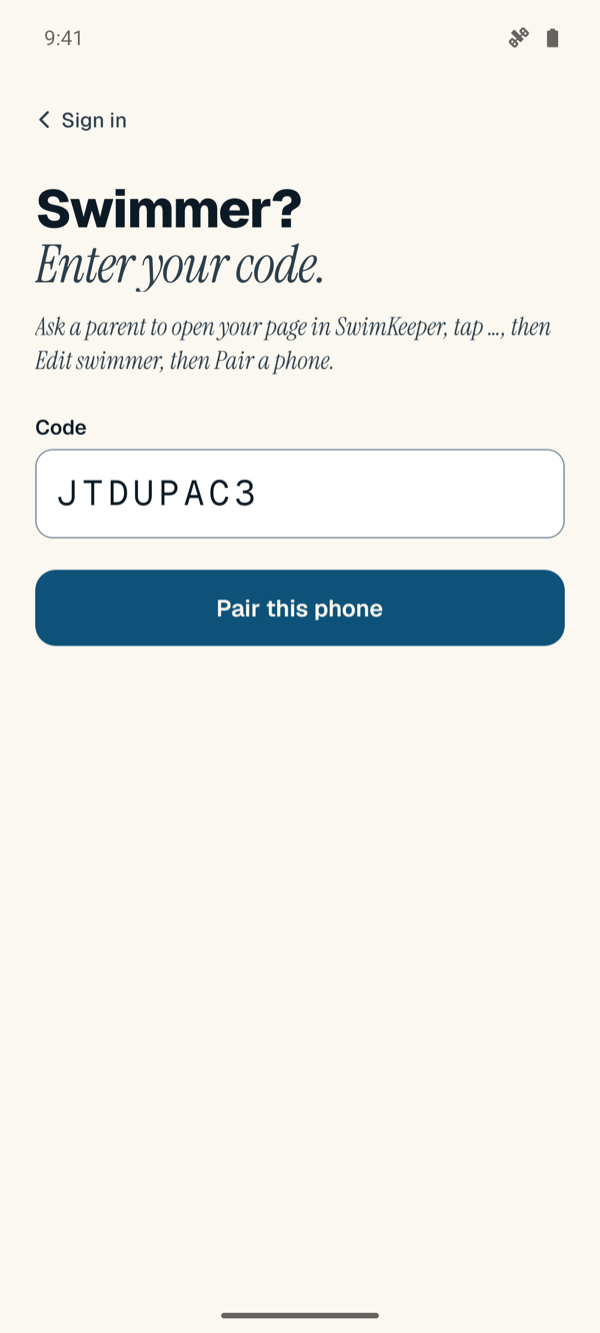
No email or password for your child. Pair each phone they use.
Or invite them by email (13 and up)
On the same screen, once your swimmer is 13, enter their email and tap Send invite. They get an email to set a password, then sign in on any phone with it.
Remove a login
On Edit swimmer, tap … next to the login, then Remove. They can no longer use SwimKeeper on it. The times they logged stay.
A swimmer login doesn’t work on the website. Signed in there, it shows Use the SwimKeeper app.
Stuck on something? Contact support.