
Standards and cuts
A standard is a published time to aim for. SwimKeeper has two kinds:
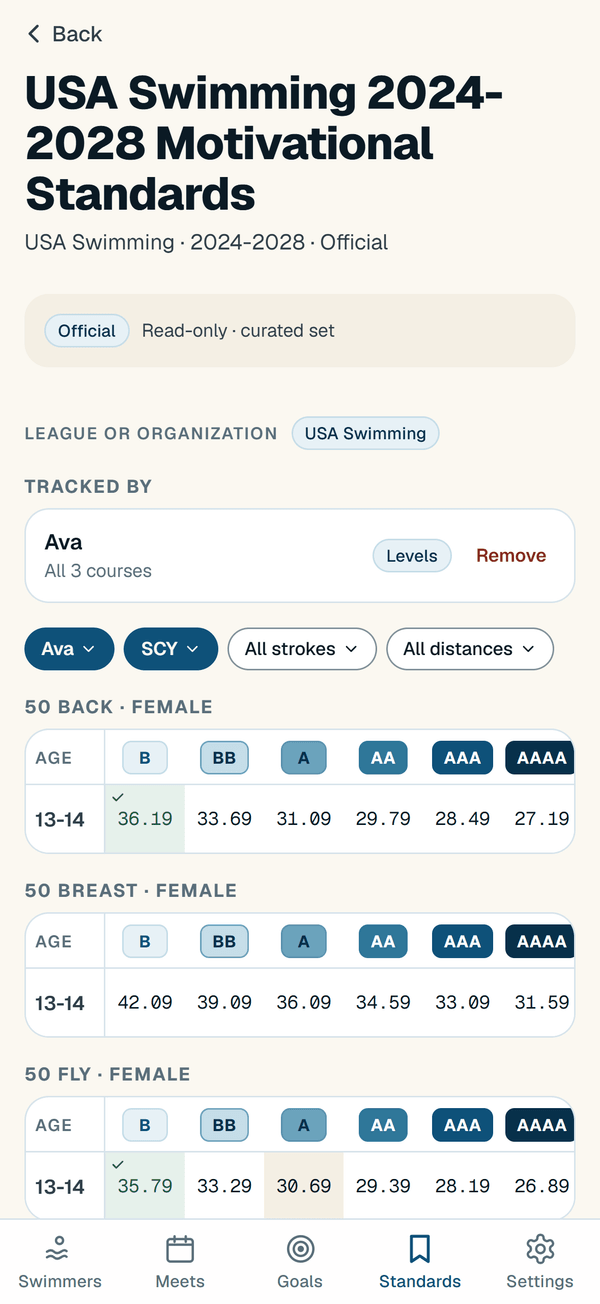
- Levels, like the USA Swimming motivational standards: B, BB, A, AA, AAA, AAAA. Your swimmer works up the ladder one level at a time.
- Cuts, like your LSC’s short course championships: one time per event and age group. Your swimmer either has the cut or doesn’t.
SwimKeeper has the official sets for every LSC that posts its own cuts, plus the zones, the national meets and YMCA. The Standards library on this site lists them all.
Pick your swimmer’s team
Pick each swimmer’s team, and SwimKeeper shows their LSC’s and zone’s sets first. Only your household sees the team.
- Open the swimmer’s settings (or Add swimmer) and find Team.
- Search by the team’s name, club code or town, and pick it.
If the team isn’t in the list, tap My team isn’t listed, type its name and pick the state. A typed team only gets the national sets, so pick the club from the list if it’s there.
A swimmer with no team yet gets Which team does … swim for? on their Standards tab: pick the club and it saves, or Not now to put the question away. (A team you type in needs Save team.) Bringing in a meet from a results file also sets a missing team from the club in the file when it matches one club, and the import summary says so.
Track a set
From a swimmer’s Standards tab, tap Add a standard set. It opens on For your swimmer: their LSC’s, zone’s and national sets, with the sets that fit their age first and the rest under Not for age. All shows every set, with search and Organization, Course and Type filters.
Or from the Standards screen:
- Pick a set under Browse official. Show switches between Your family and All, and you can search by name, LSC or zone.
- Under Tracked by, tap Track next to a swimmer.
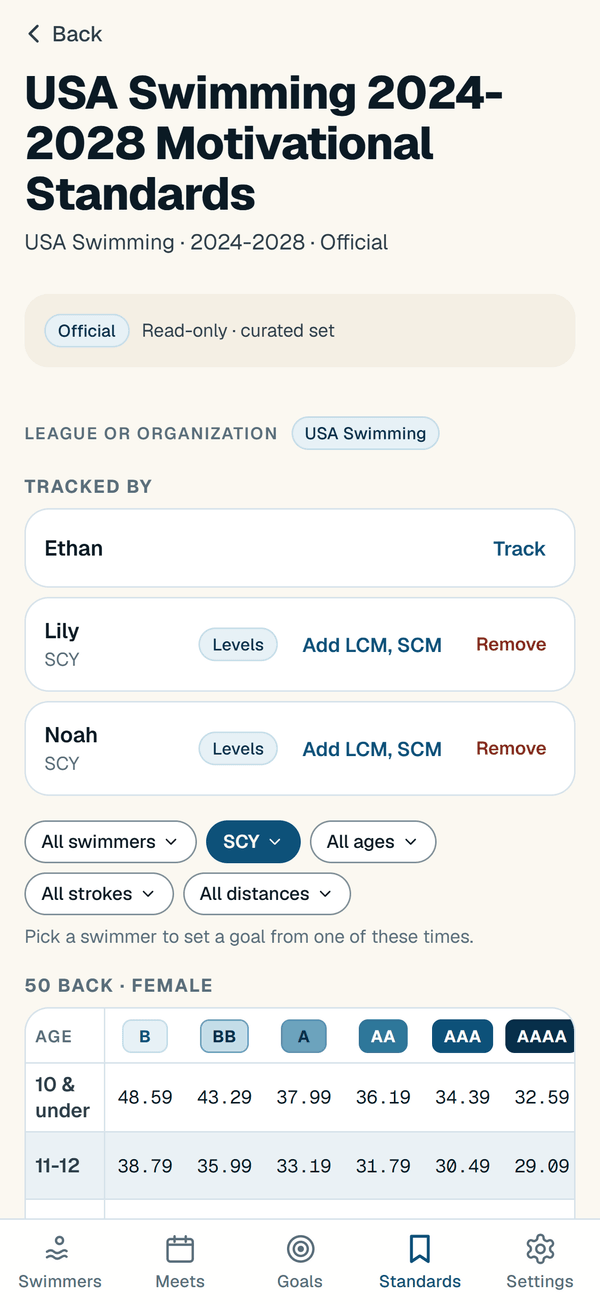
That’s it. Tap Remove there to stop. A swimmer can track one levels set per course and any number of cut sets.
If your swimmer’s LSC has no sets yet, Standards says We haven’t added … standards yet. Tap Ask us to add it at the bottom of Standards (or send the sheet to [email protected]), or make your own (below).
Where it shows up
- Level chips. Each swim shows the level it reached, such as A.
- A swimmer’s Standards tab shows their Next levels (the closest level in each event and how far off it is) and their Qualifications: cuts they’ve made, and cuts they’re within 2% of.
- Family progress (at the top of Standards) shows every swimmer’s next levels in one place.
- Goals. When you set a goal, the form lists the levels and cuts near your swimmer’s best, so you can link the goal to one.
A “?” next to a time
Some published sheets have mistakes: a meters cut faster than the yards cut, a time like “5:54:00”, one column copied into another. When a time looks wrong, SwimKeeper still shows it, with a small ? next to it. Tap it to see We’re checking this time: what looks wrong, and that we’ve asked the LSC or meet to check. When they answer, we fix it.
A cut we couldn’t read at all is left out, and the set’s description says Missing from this set, so you know it wasn’t missed by accident.
Why doesn’t a cut show as made?
A cut only counts swims at meets sanctioned by the body that publishes it. A fast time at a meet with no league set still counts as a best time, and toward levels and goals, but not toward that cut.
To fix it, open the meet, tap … and Edit meet, and under League or organization pick the body (for example USA-S for a USA Swimming meet). The cut then counts right away.
Why doesn’t a league swim count toward a USA level or goal?
Levels and goals count meets for their own league. A USA Swimming level, or a goal set for a USA Swimming season, leaves out a swim at another league’s meet, such as a summer or winter league meet, unless that meet is also marked as counting for USA Swimming. When a league swim was fast enough anyway, the goal or level says so: “Fast enough at Fall Fest (32.40), but it isn’t a USA-S meet”. The swim’s own level chip still shows how fast it was.
Also check:
- The age group. SwimKeeper uses the age rule of whoever publishes the set: for USA Swimming, the swimmer’s age on the first day of the meet.
- The set’s dates. A cut set tied to a season or dates only counts swims inside that window, so last season’s fast swim doesn’t count toward this season’s cut.
- Too fast. Too fast means the swim is under the meet’s published upper limit: your swimmer belongs at the next meet up.
Make your own
For club standards or a meet that isn’t listed:
- Add a single cut: one time for one event.
- Create standard set: a whole set you fill in one cut at a time.
- Import from JSON: for a set you already have as a file.
Sets you make stay private to your household and appear under My library.
Stuck on something? Contact support.