
Getting started
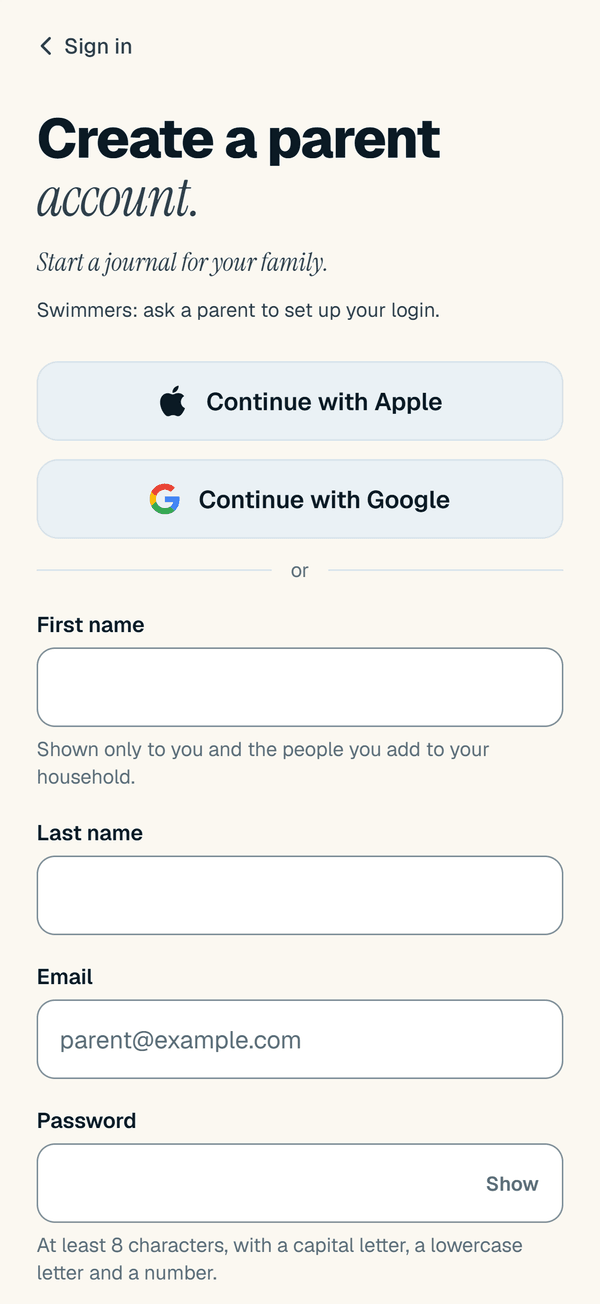
Create your account in the iPhone app (App Store), the Android app (Google Play) or at app.swimkeeper.app/sign-up. Accounts are for parents and guardians; a swimmer gets their own login from a parent (see Sharing).
- With your email: enter your first name, last name, email and a password (at least 8 characters, with a capital letter, a lowercase letter and a number), tick I’m a parent or legal guardian, 18 or older, and tap Create account. SwimKeeper emails you a 6-digit code; type it on the next screen and tap Finish to confirm your address.
- With Apple or Google: tap Continue with Google, or on iPhone and the web Continue with Apple. The first time, SwimKeeper asks you to confirm you’re a parent or legal guardian, 18 or older.
By continuing, you agree to our Terms of Service and Privacy Policy.
When you first sign in, the Swimmers tab (the app opens there) shows a Getting started card. It walks you through six small steps. Tap Start on the highlighted one, or any step in any order. A step checks itself off once it’s done. Close the card with × if you’d rather explore. A small Getting started row stays on Home so you can pick it up again.
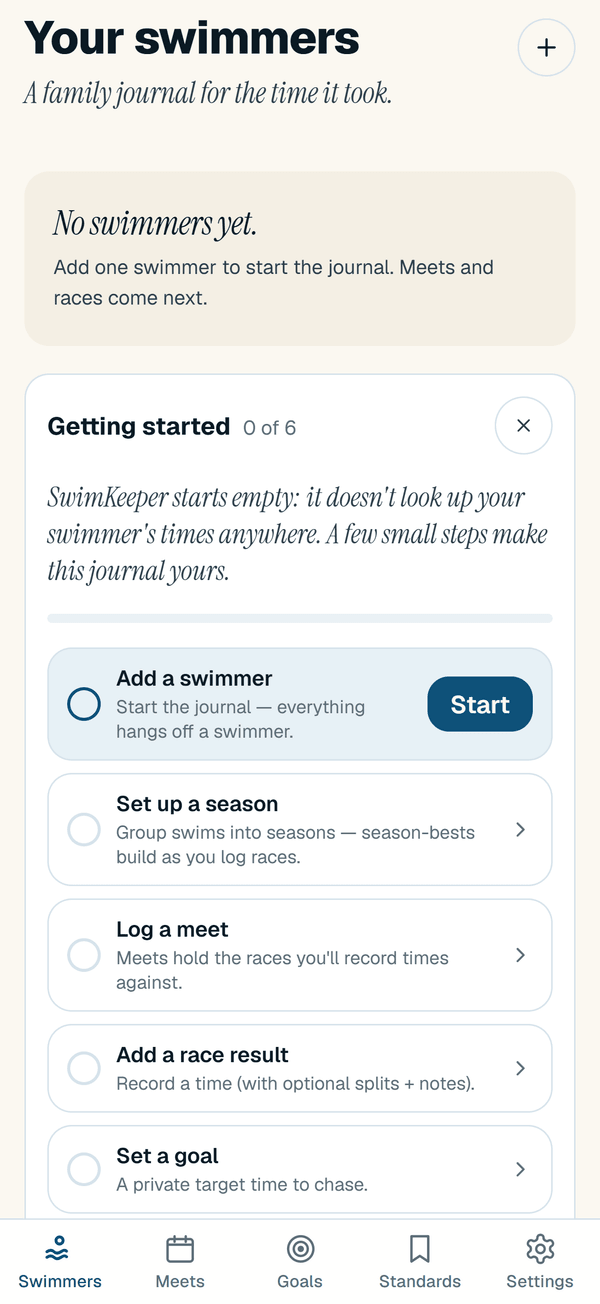
1. Add a swimmer
Enter the name your swimmer goes by and their birth date. The birth date works out their age at each swim, which decides their age group for standards. It stays inside your household. Competitive category (Female, Male, Other or Undisclosed) matches them to the right standards.
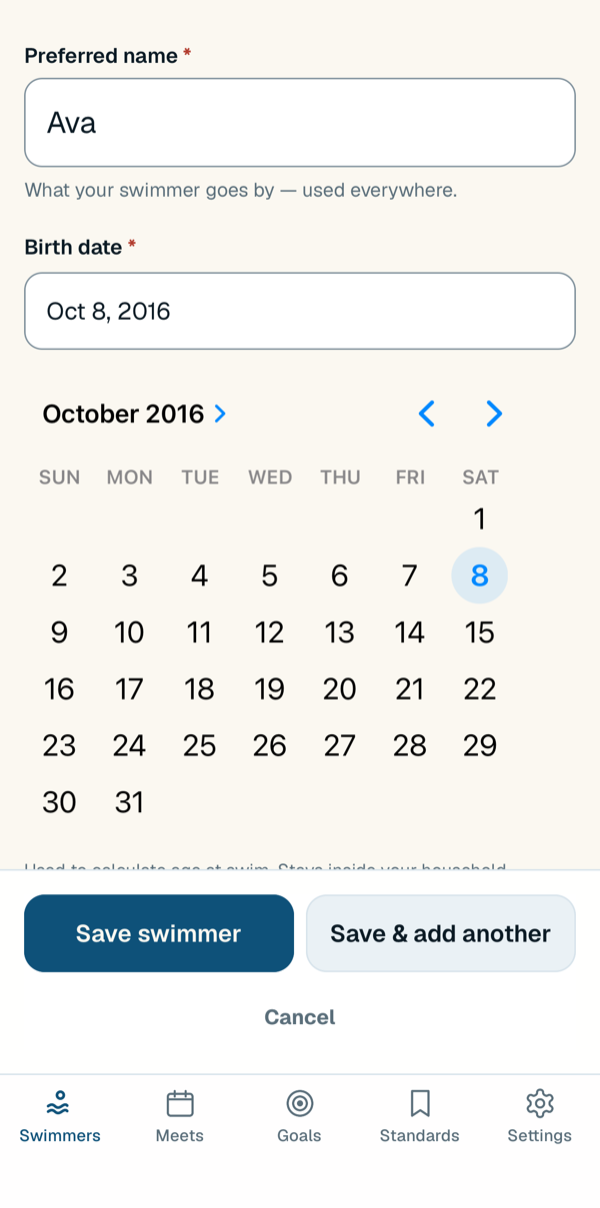
Add every swimmer in the family the same way. Save & add another keeps the form open.
2. Set up a season
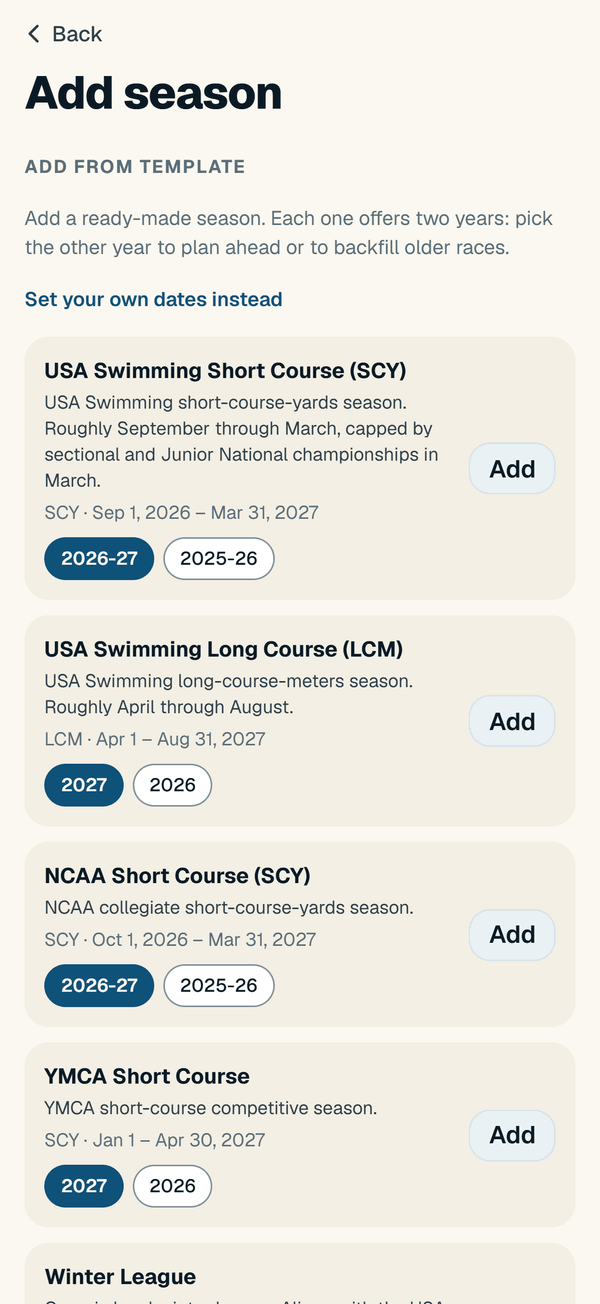
A season is a date range, like a short-course season from September to March. Season bests only count swims inside a season, so until you add one, SwimKeeper shows personal bests but no season bests.
Pick a template, such as USA Swimming Short Course (SCY), and the current season (or last season, if you’re adding older meets). Need different dates? Add a custom season. See Seasons and season bests.
3. Log a meet
Give the meet a name, its start date, and the course: SCY (short course yards), SCM (short course meters) or LCM (long course meters).
Then open League and USA Swimming and pick the meet’s league or organization, such as USA-S for a USA Swimming meet. For a league meet, also answer Do times from this meet count for USA Swimming? A time only counts toward a cut from the body that publishes it. Skip this and the swim still counts as a best time, just not for cuts.
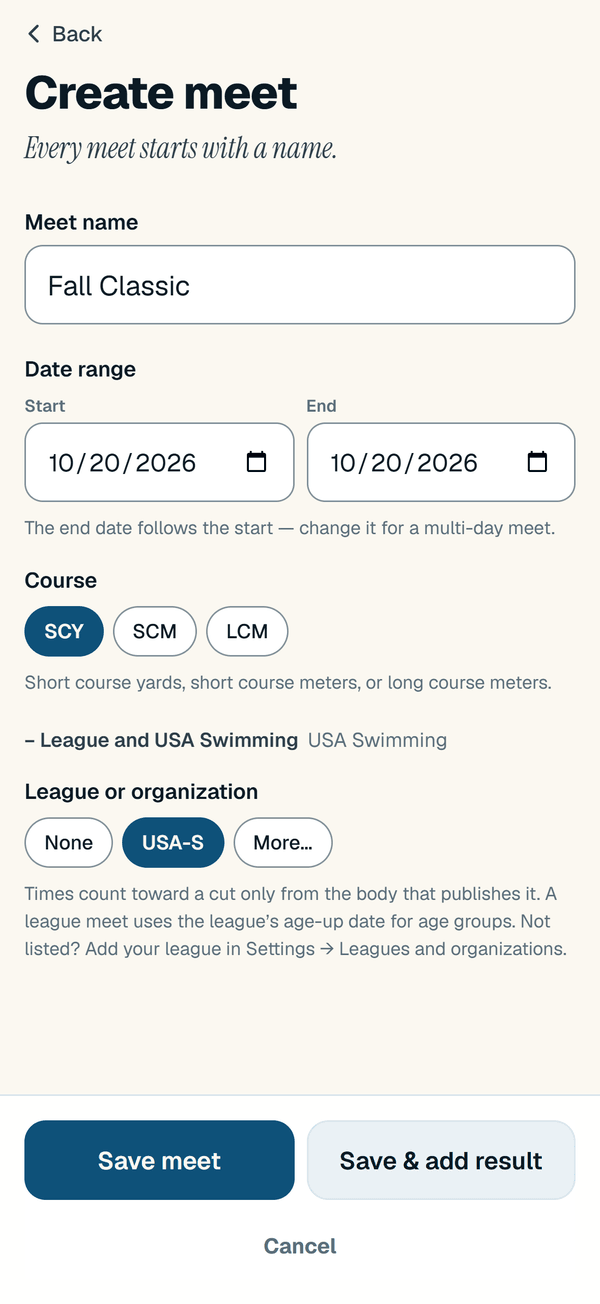
Save & add result takes you straight to logging a time from that meet.
4. Add a race result
Pick the swimmer and the event, then type the time as 31.42 or 1:05.33. That’s all a result needs. Splits, place, round and a note are optional and tucked under + More details.
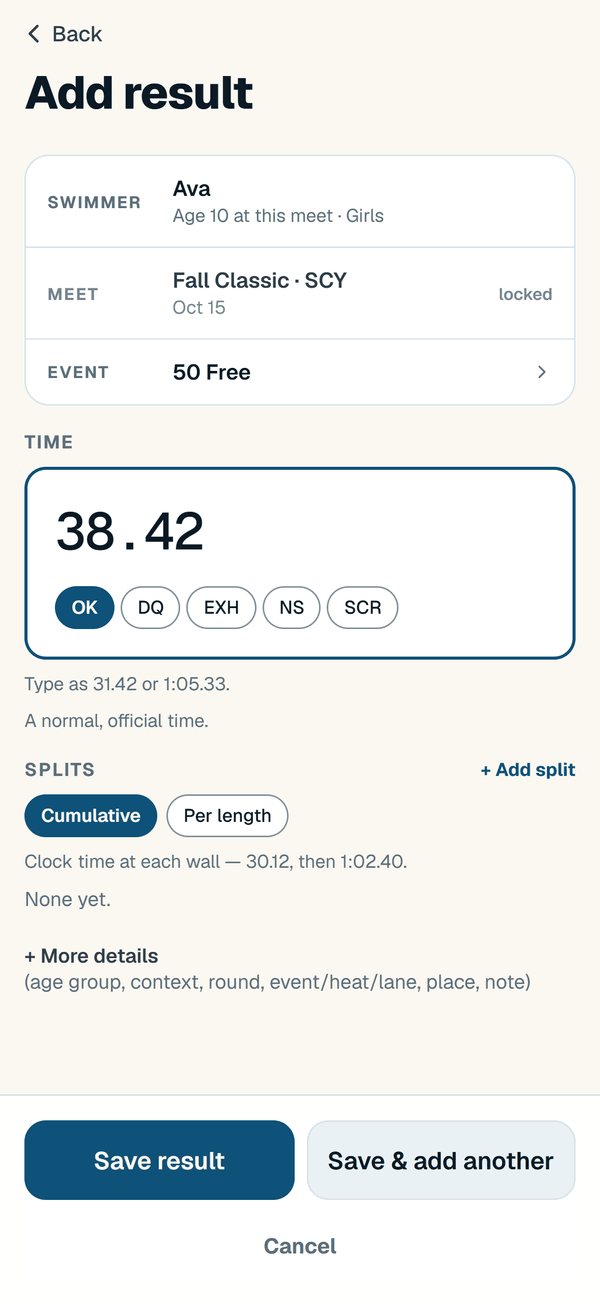
If the meet is in the Meet Mobile app, you may not need to type anything. See Logging times from Meet Mobile.
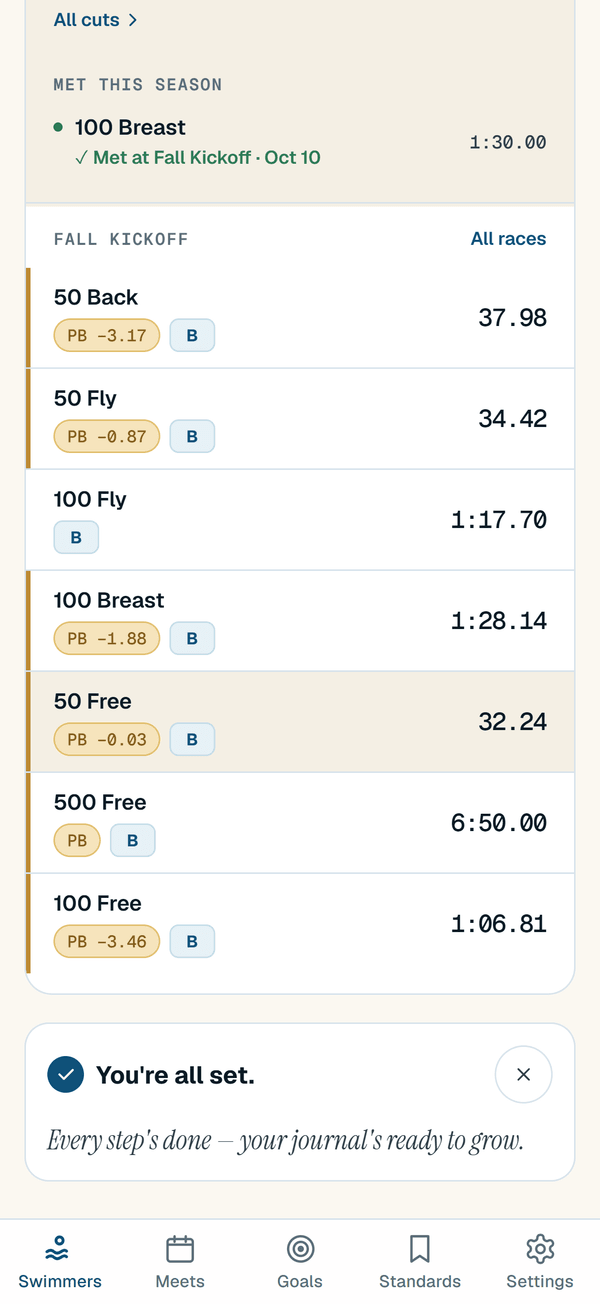
New best times get a PB (personal best) or SB (season best) badge.
5. Set a goal
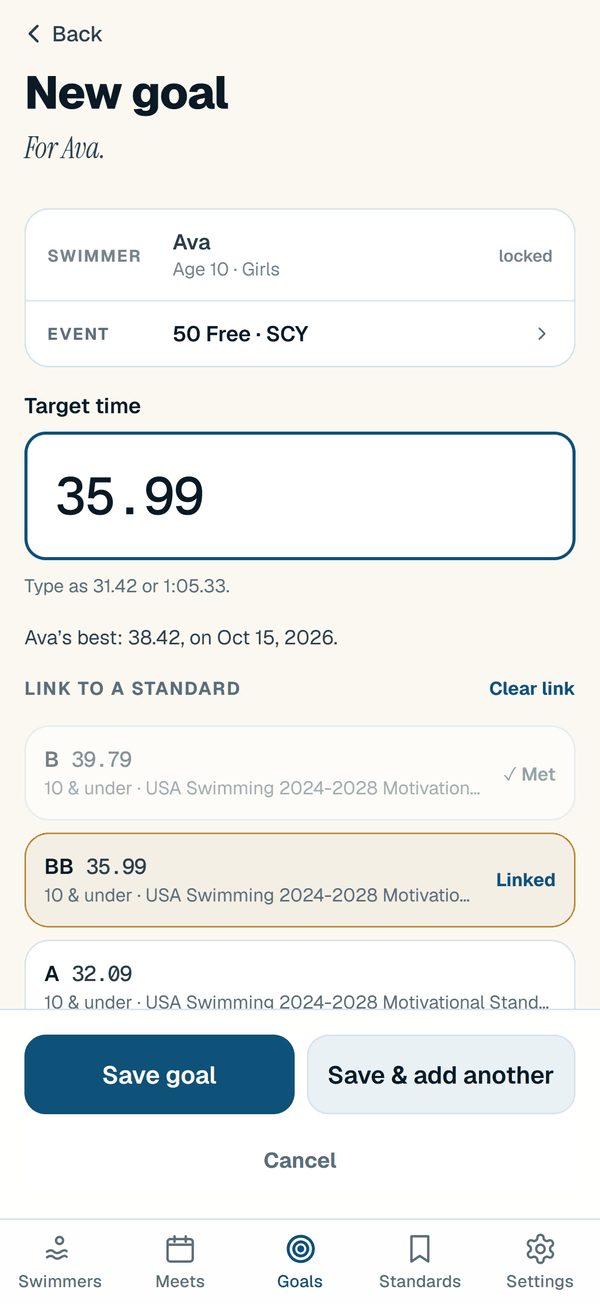
Pick a swimmer, an event and a target time. The form shows their current best, and the cuts and levels near it, so you can link the goal to one. Goals are private to your household.
6. Track a standard
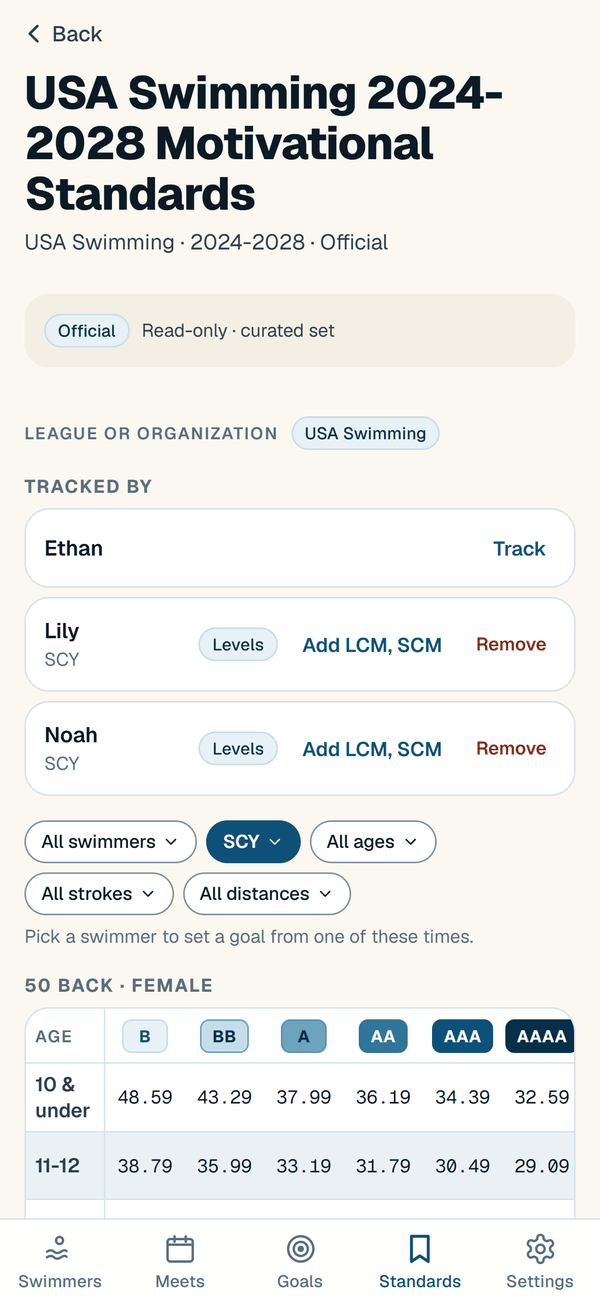
Open Standards, pick a set (for example the USA Swimming motivational standards, or a championship set, such as Middle Atlantic’s 2027 short course champs). Another LSC’s cuts? Tap Ask us to add it, or make your own. Then tap Track next to a swimmer. Their page then shows which levels they’ve reached and how far off the next one is. See Standards and cuts.
When you’re done
The card says You’re all set. You can close it. Everything you set up is on each swimmer’s page and on the Swimmers tab.
Want the other parent to see and log times too? Invite them in Settings → Family. See Sharing with the other parent.
Stuck on something? Contact support.